

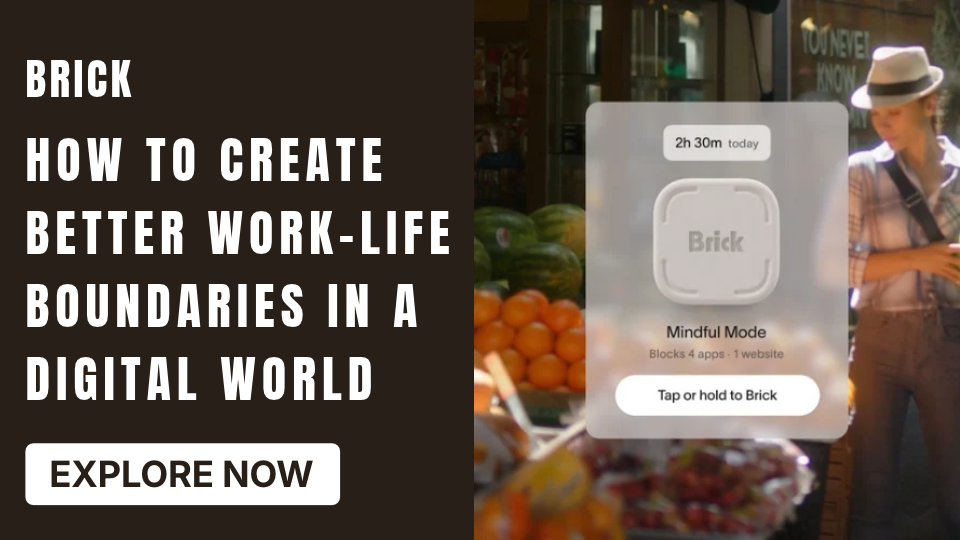
Creating healthy work-life boundaries can be difficult when emails, messages, and notifications follow you everywhere. A quick check of a work chat during dinner can turn into an hour of replying, while unfinished tasks may continue occupying your thoughts after the working day ends. Over time, this constant connection can make it harder to relax, enjoy personal activities, and maintain a predictable routine. The solution is not necessarily to abandon technology, but to use it more intentionally. Clear digital boundaries can help you separate professional responsibilities from personal time. Tools such as Brick may also support this approach by making selected phone apps less accessible during the periods when you want to concentrate on work or disconnect.
Why Work-Life Boundaries Matter
Work-life boundaries establish when professional responsibilities begin and end. They help protect personal time while giving work its own dedicated space.
Without clear limits, digital communication can blur the difference between being available and being productive. You might respond to messages throughout the evening, check emails before getting out of bed, or interrupt family activities to handle tasks that could wait.
Healthy boundaries can help you:
- Protect time for rest and personal interests.
- Give family and friends more undivided attention.
- Reduce unnecessary interruptions outside working hours.
- Create a more predictable daily routine.
- Approach work with clearer priorities.
Boundaries do not mean ignoring important responsibilities. They mean deciding when and how you will respond instead of allowing every notification to determine your schedule.
How to Set Better Digital Boundaries
Building healthier work-life boundaries does not require a complicated productivity system. Start with a few practical changes and adjust them to your responsibilities.
1. Establish a Clear End to Your Workday
Choose a realistic time when your regular workday finishes. Before logging off, review unfinished tasks, identify your next priorities, and write down anything you need to remember.
This simple closing routine can make it easier to leave work behind mentally. If your job requires occasional after-hours availability, define which situations genuinely need an immediate response.
2. Separate Work and Personal Notifications
Not every notification deserves your attention throughout the day. Review your phone settings and decide which apps should be allowed to interrupt you.
For example:
- Keep essential work alerts available during working hours.
- Silence non-urgent work notifications after your scheduled finish.
- Limit social media alerts when completing important tasks.
- Use separate notification settings for weekends or holidays.
The goal is to make notifications follow your priorities rather than control them.
3. Create Dedicated Spaces for Different Activities
Your environment can reinforce your routine. If possible, use a specific desk or area for work and keep personal activities separate.
When the workday ends, close your laptop, put away work materials, and move to another space. Even small physical changes can provide a useful signal that it is time to switch activities.
4. Schedule Time for Personal Activities
Personal time is easier to protect when you give it a place in your calendar. Schedule activities such as exercise, cooking, hobbies, reading, or spending time with family.
Treat these commitments with the same consideration you give professional meetings. You do not need to fill every free moment; leaving space for rest is also important.
5. Avoid Checking Work Messages Automatically
Repeatedly opening email or messaging apps can become an automatic habit. Instead, choose specific times to review non-urgent messages.
If you work in a role that requires frequent communication, establish reasonable checking intervals where possible. For other tasks, keep messaging apps closed until you have a planned reason to use them.
Practical Ways to Use Brick Throughout the Day
The usefulness of an app-blocking routine depends on your schedule and priorities. You can consider several situations where restricting selected apps may help.
During Working Hours
Create a work mode that blocks distracting apps while you complete important assignments. Keep necessary communication tools accessible if your responsibilities require them.
After Work
Set aside a period for personal activities without repeatedly opening entertainment or social media apps. This can make it easier to give attention to cooking, hobbies, or conversations.
During Weekends
Choose selected periods when you want to spend less time on distracting apps. You can use that time for outdoor activities, household responsibilities, or simply resting.
Brick is not a replacement for realistic workloads, clear communication, or healthy workplace expectations. It is a tool that may support the digital side of a broader routine.
How Brick Fits Into Healthier Work-Life Boundaries
Even when you have a clear schedule, personal phones can make it difficult to follow through. Social media, entertainment apps, and other digital distractions can interrupt work, while the habit of checking your phone can continue into personal time.
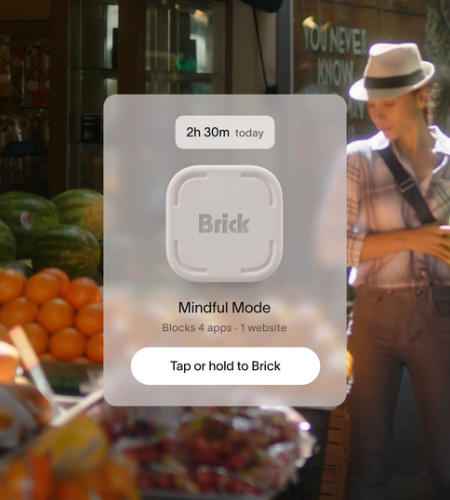
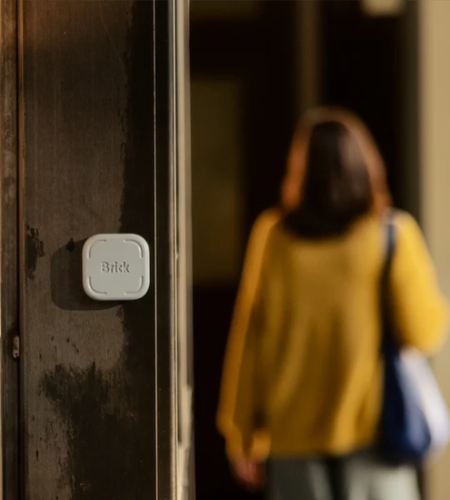
Brick offers a physical app-blocking device that works with its mobile app. Users can select apps and websites they want to restrict, create different blocking modes, and activate those modes by tapping a compatible phone against the Brick device.
This approach may be useful when you want to establish specific periods for focused work, personal activities, or time away from selected apps.
Rather than relying entirely on willpower, Brick gives users a practical way to add an intentional step between themselves and chosen digital distractions.
Benefits and Limitations to Consider
A digital boundary system can be useful, but it should fit your actual lifestyle.
Potential benefits:
- Creates more intentional phone-use habits.
- Helps limit access to selected distracting apps.
- Supports scheduled periods for work or personal activities.
- Encourages more deliberate use of technology.
Possible limitations:
- Blocking selected apps does not remove every source of distraction.
- Some people need access to work apps outside standard hours.
- A device or app cannot solve unrealistic workloads or workplace communication problems.
- Your routine may need adjustments as responsibilities change.
The best approach combines practical technology settings with clear expectations and consistent daily habits.
Frequently Asked Questions
What are healthy work-life boundaries?
They are clear limits that help separate professional responsibilities from personal time. Examples include setting working hours, limiting after-hours messages, and protecting time for rest.
How can I stop checking work messages after hours?
Set notification limits, establish a clear end-of-day routine, and communicate your availability to colleagues. Keep essential emergency communication separate from routine messages.
Can digital tools help improve work-life balance?
Yes. Calendar settings, focus modes, notification controls, and app blockers may help reduce unnecessary interruptions and support more intentional routines.
What is Brick used for?
Brick is a physical app-blocking device paired with a mobile app. It allows users to select apps and websites to restrict and activate custom blocking modes by tapping a compatible phone against the device.
Should I block all work apps after office hours?
Not necessarily. Your decision should reflect your job responsibilities. Consider limiting non-urgent communication while keeping essential channels available when required.
Conclusion
Creating better work-life boundaries starts with deciding how you want to divide your time and attention. Set realistic working hours, manage notifications, protect personal activities, and develop a consistent routine for ending the workday. Small changes can make technology feel more manageable without requiring you to disconnect completely. Brick may also support these efforts by helping restrict selected apps during planned periods. If you want a practical way to make your digital boundaries easier to follow, visit the official Brick store to learn more about its app-blocking approach.


